
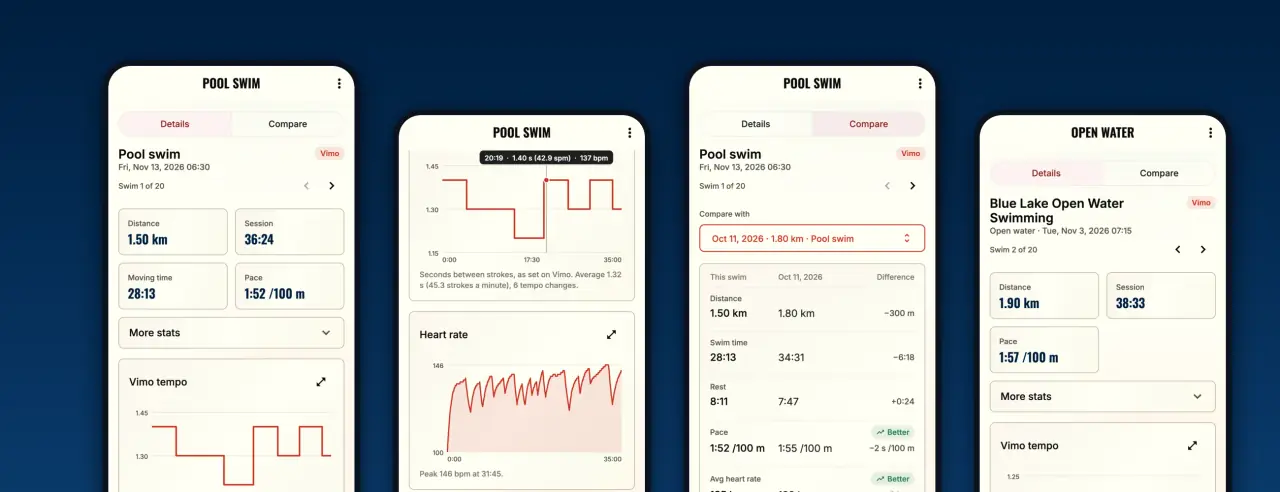
On 29 October 2026 Garmin accepted Vimo Swim into the Garmin Connect Developer Program. It sounds like paperwork, but for a swimmer it changes one simple thing: the swims you record on your Garmin watch now arrive in your Vimo account by themselves.
This is the story of why we wanted that, how it works, and what you can do with it today.
Why we applied
Vimo gives you the beat. Your watch records what you did with it: pace, laps, stroke count, SWOLF, heart rate. For a long time these two halves lived in two different places, and nobody could put them side by side.
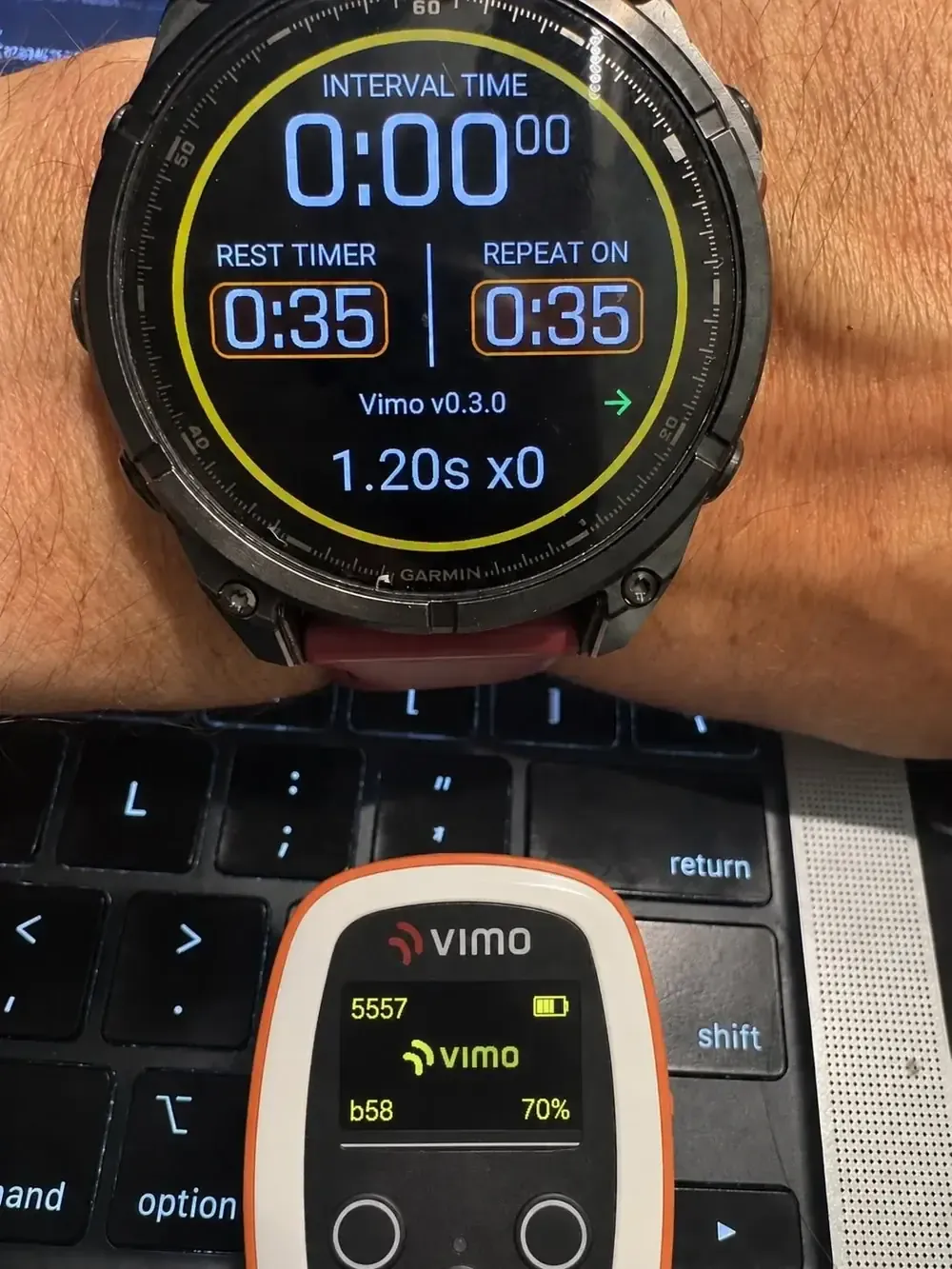
We already had a first bridge. Our data field for Garmin watches, Vimo Swim Tempo, saves your Vimo tempo inside the swim activity, second by second. But the activity still stayed in Garmin Connect, and Garmin Connect does not know what a tempo trainer is.
I had also done the long version by hand. For What Your Garmin Swim Data Really Says I pulled four years of my own swims into a database and read them properly. It was worth it, but it was a one-person experiment. It was not something we could offer to every Vimo swimmer.
The official program is the proper way to do it for everyone. So we applied.
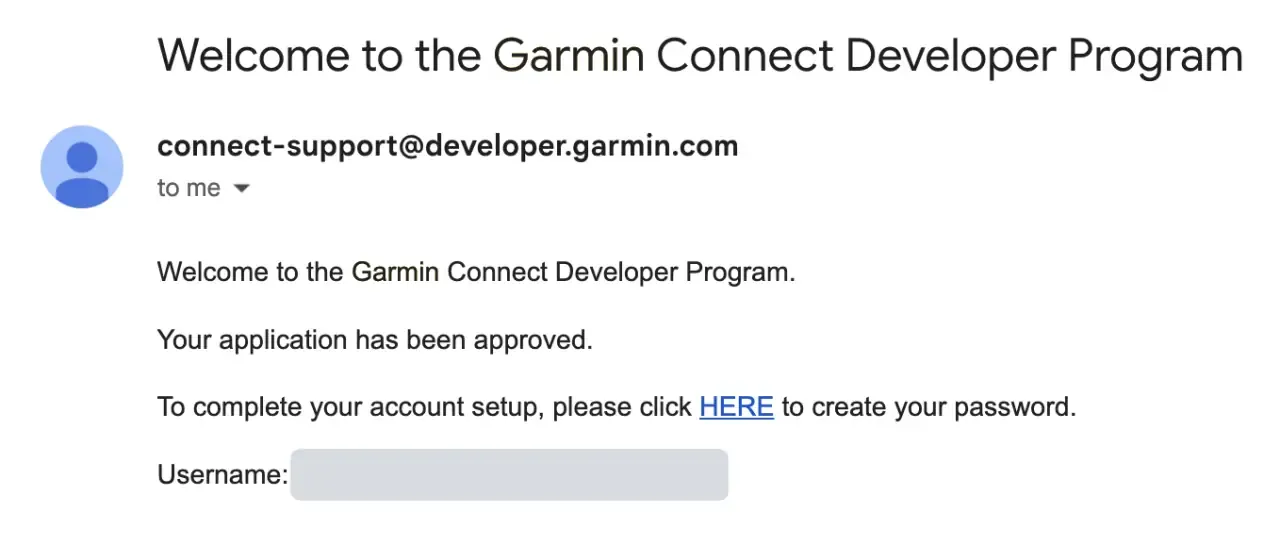
On 29 October the answer came.
How the link works
You link your Garmin account once, and that is all.
- Sign in at vimoswim.com/me/swims and open Connect.
- Choose Garmin. You sign in on Garmin's own page, so we never see your Garmin password.
- Swim, and sync your watch as you always do. Garmin then sends the new swim to Vimo.
Three things are good to know:
- Swims only. We ask Garmin for activities, and we keep the swims. We do not ask for your sleep, steps or other health data.
- From the day you link. Garmin sends us your swims after you connect, so it starts with your next sync.
- You can leave at any time. Disconnect Garmin in the same place. The swims you already synced stay in your account.
We do not want to copy Garmin Connect. We add what swimmers need, and we build it for ourselves first.
What you get in My swims
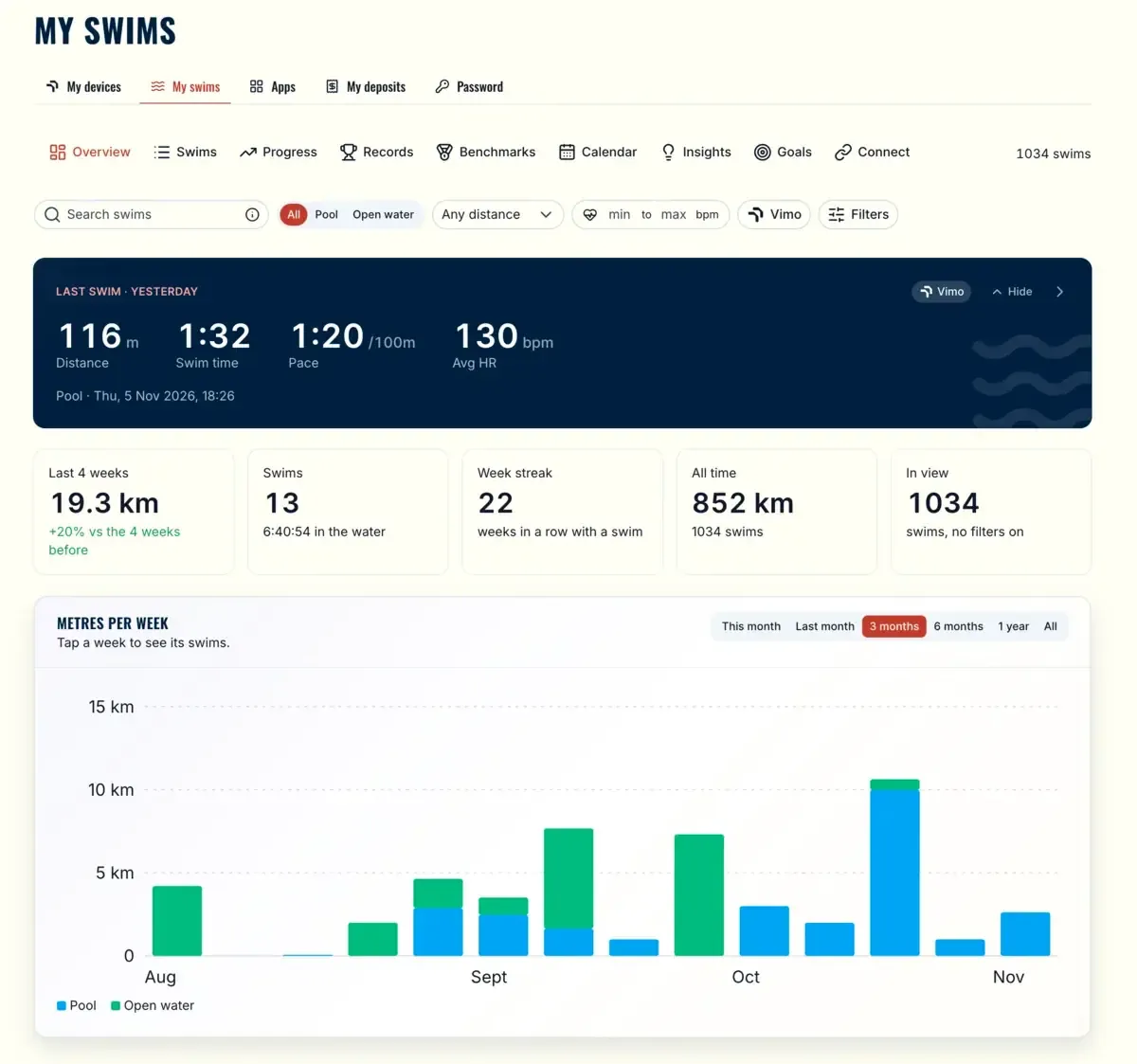
An overview of your swimming. Your last swim, your streak and your metres per week, for the pool and for open water.
Every swim, lap by lap. Search and filter your swims, then open one to see each lap with its stroke, SWOLF and rest.
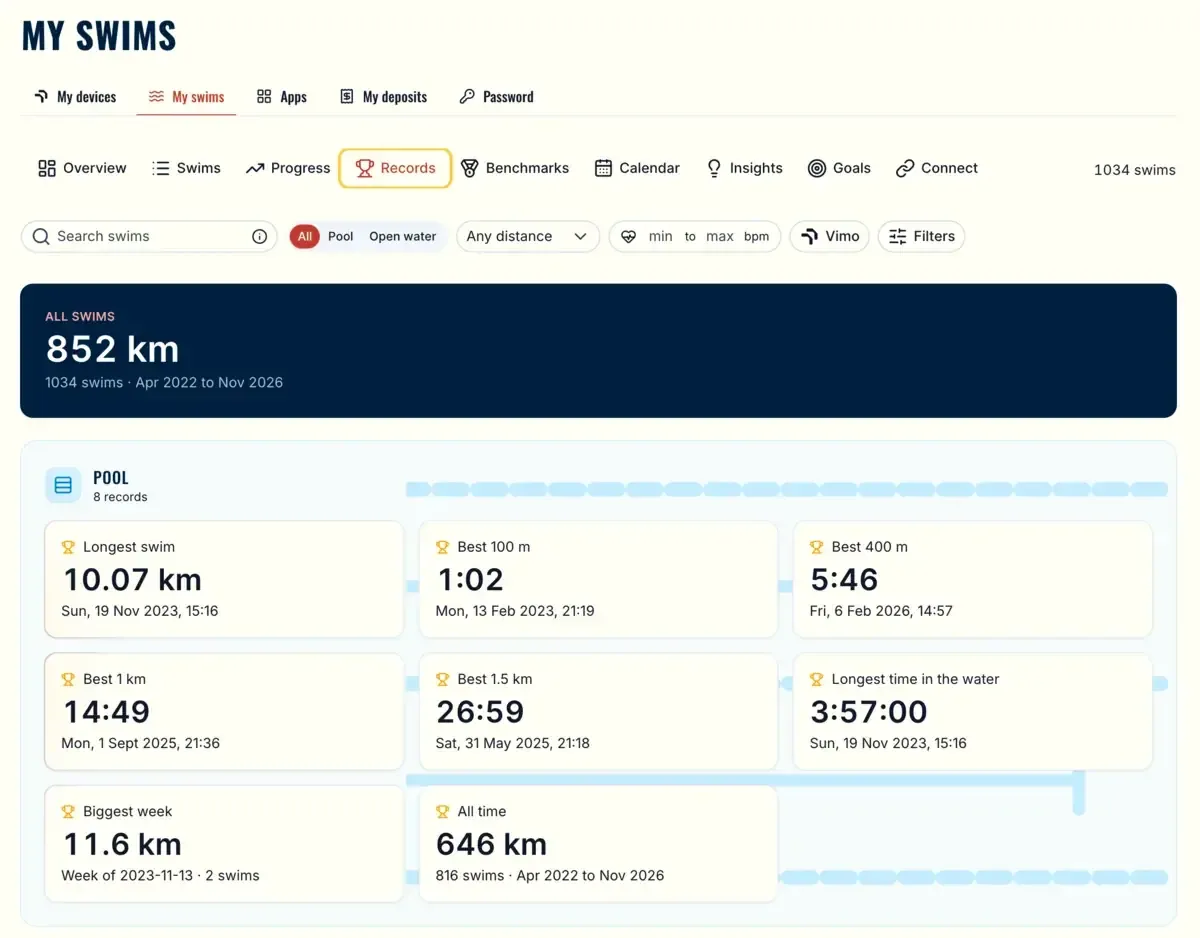
Your records. Your best 100 m, 400 m, 1 km and 1.5 km, found across all your synced swims.
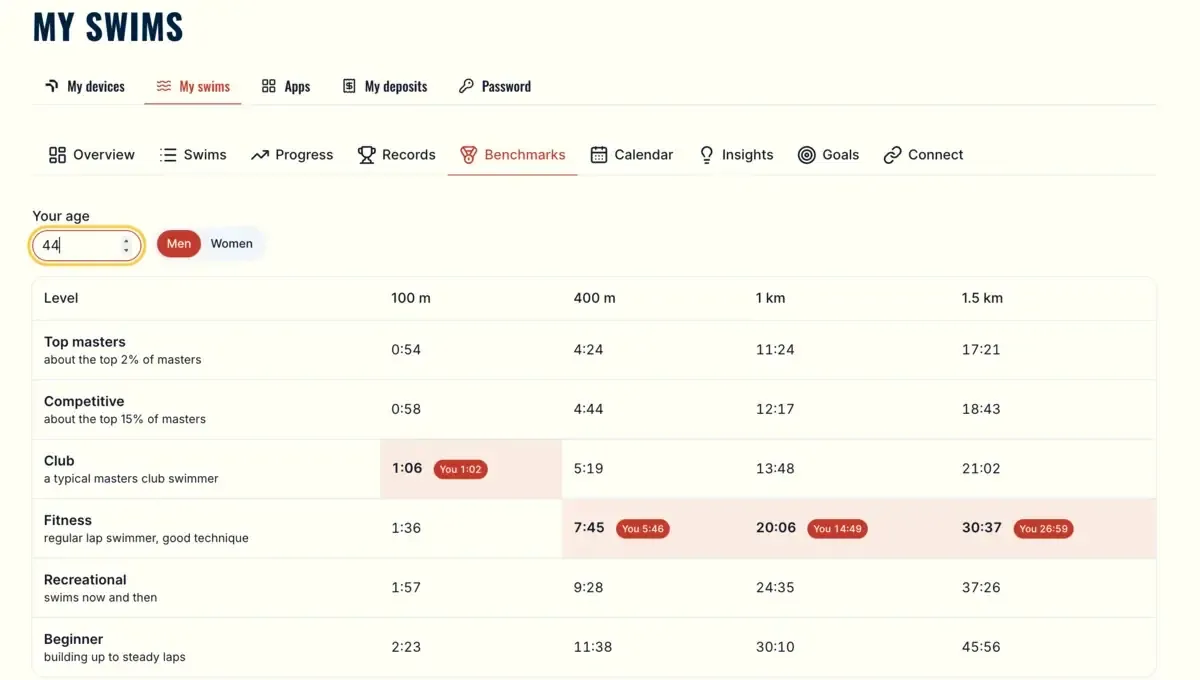
Benchmarks. Where your best times sit for your age.
Where your Vimo comes in
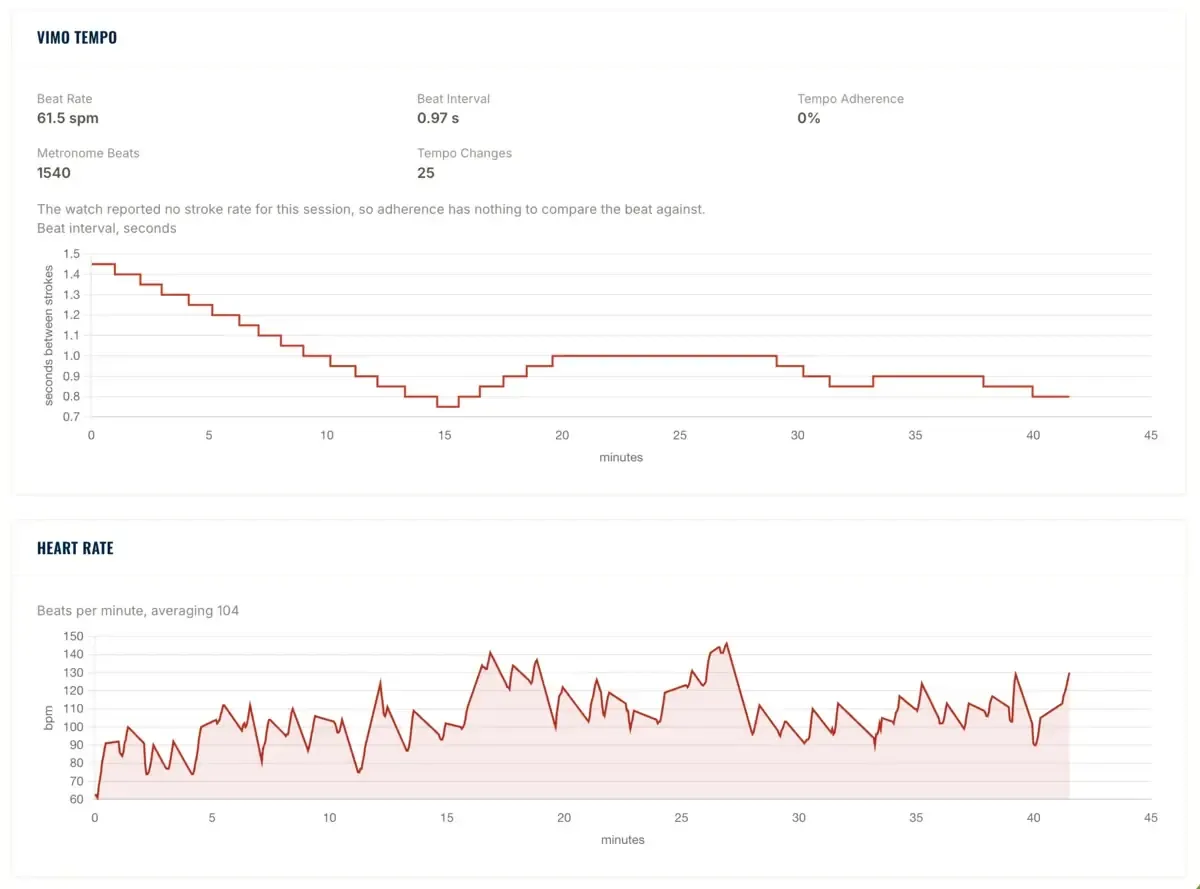
This is the part we care about most. If you swim with a Garmin fenix 7 or fenix 8 and our free data field, your Vimo tempo is saved in the activity. After the sync you see it in My swims, next to your heart rate.
So you can answer real questions. What did a faster beat do to my pulse? Did I hold the tempo for the whole set, or only for the first 200 m? Is the same set easier than two weeks ago?
The same swims in your pocket
Your swims are also in the Vimo Connect app, on your phone or tablet. Open a swim to see the laps and the tempo chart, compare two swims, and follow your goals and insights.
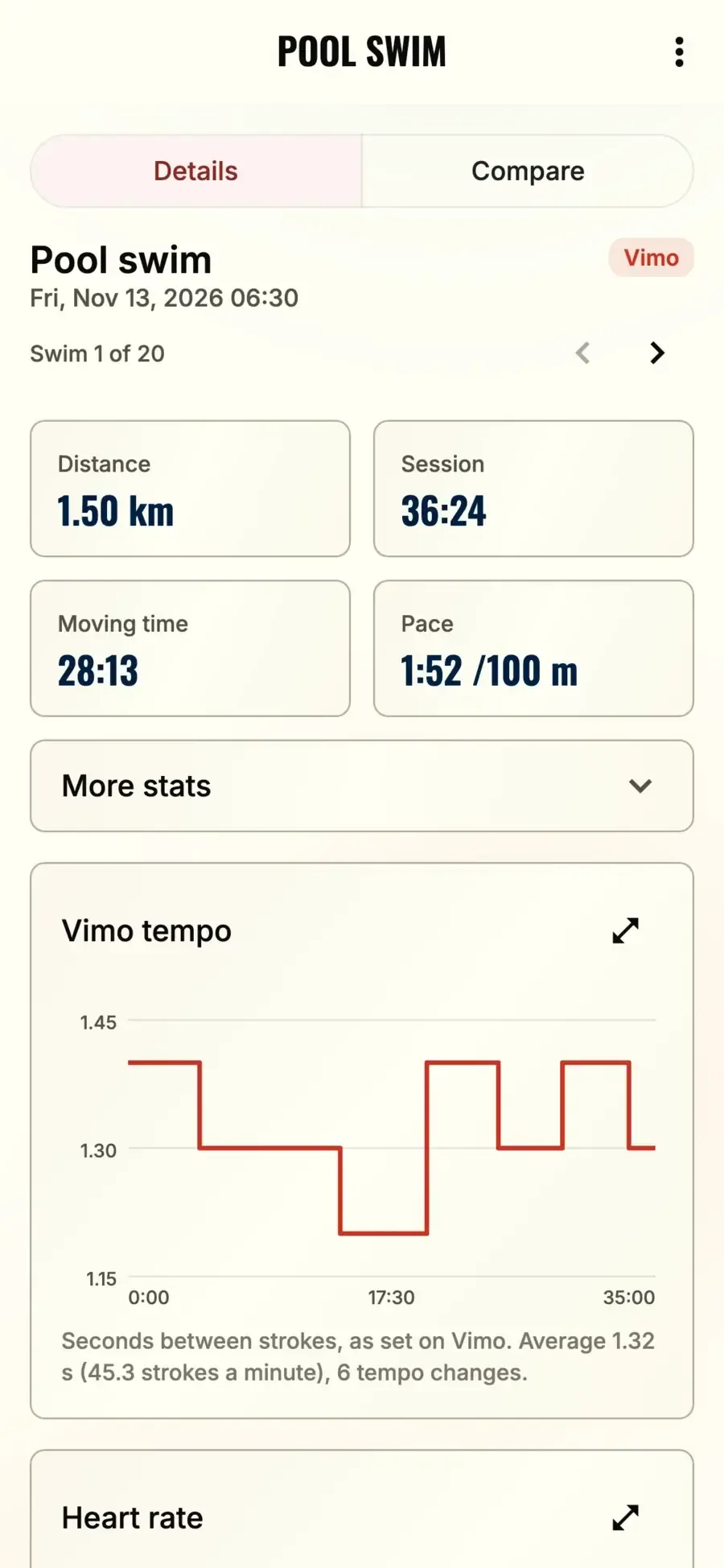
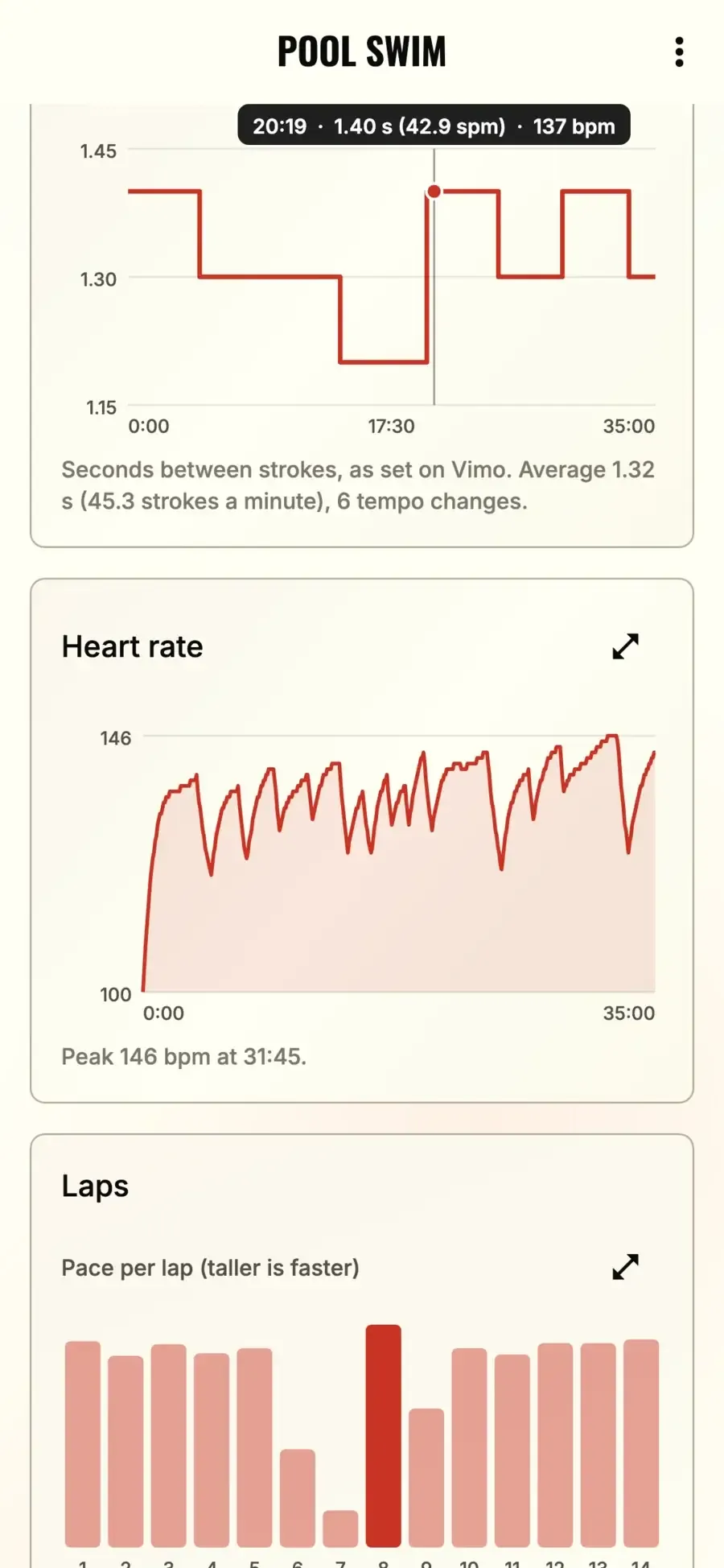
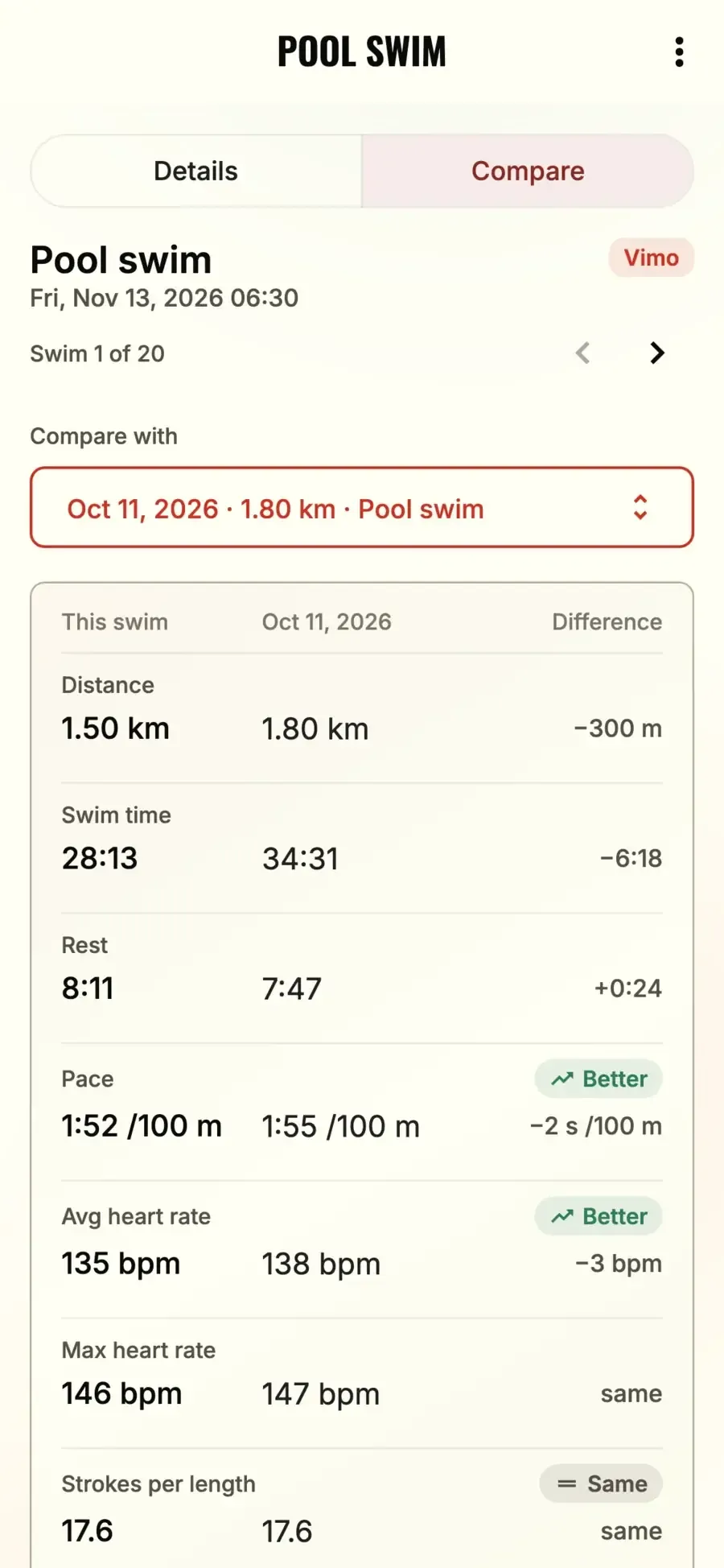
Get the app at vimoswim.com/apps/connect.
What comes next
Today the swim data comes from your watch, and Vimo adds the tempo. The next step is data from Vimo itself. We have started to record how the device moves in the water. That work is still in the lab, and we will tell you when there is something to try.
Until then: link your Garmin, swim the same set once a week, and compare. Small changes show up fast.
If something is missing in your swim data, tell us. Most of what we build starts as a message from a swimmer.