Connect IQ data field
AvailableGarmin Connect IQ

Vimo Swim Tempo

Garmin watches ignore external cadence sensors inside swim profiles. This data field fills that gap: it connects to your Vimo over Bluetooth and records its tempo into the FIT file, second by second, right inside Pool Swim.

Needs a Vimo Swim tempo trainer. Without one in range the field only shows its connection status.
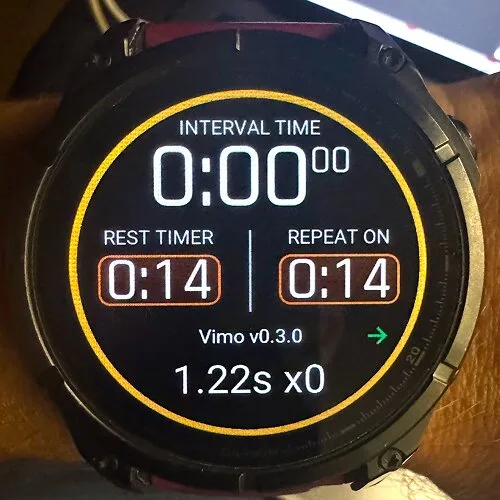
Vimo Swim Tempo on a Garmin Fenix during Pool Swim, showing the tempo and the link to the Vimo

What lands in your activity

Every field is a developer field in the FIT file, so it travels with the swim to Garmin Connect, Strava and TrainingPeaks.
Tempo trace
Seconds per beat and the same beat as strokes per minute, recorded every second and chartable in Garmin Connect.
You against the beat
Your real stroke rate from the watch next to the target, and the gap: ahead of the beat or behind it.
Adherence per lap
Average tempo for each lap and the share of it you held within 10% of the target.
Session summary
Adherence for the whole swim and the total number of beats you followed.
One button for both
Starting the activity timer starts the Vimo on the Tempo program. Stopping it stops the beat.
Nothing leaves the watch
No account, no server, no personal data. Everything stays in the activity file.

A real swim

A tempo ladder recorded with Vimo Swim Tempo: every step a little faster on the Vimo, from 46 to 75 strokes per minute. The heart rate follows the beat up.

Vimo tempo, strokes per minute

78 spm61 spm43 spm0 min11 min23 min
Vimo tempo in strokes per minute

Heart rate

162 bpm111 bpm59 bpm0 min11 min23 min
Heart rate in beats per minute

Both lines come straight from the FIT file the watch recorded. In Garmin Connect they show up as charts of the activity.

How it works

Set it up once, then just swim.

1

Install

Get Vimo Swim Tempo from the Connect IQ Store, in the Connect IQ app on your phone.

2

Add the field

On the watch, put the field on a data screen of the Pool Swim activity.

3

Swim

Turn on your Vimo and start the timer. The field shows the live tempo and your gap to the beat.

4

Look back

Open the swim in Garmin Connect, or in My swims on vimoswim.com, and see how well you held it.

Honest underwater

Underwater, 2.4 GHz radio drops on nearly every stroke. That is physics, not a bug. The Vimo keeps playing regardless. The field carries the last confirmed tempo, marks it with a ~ on screen and flags it in the data, so your trace stays honest and readable.

Works on

Fenix 7Fenix 7SFenix 7XFenix 7 ProFenix 8 (43 and 47 mm)Fenix 8 ProFenix 8 SolarForerunner: in testing

Free on the Connect IQ Store

Install it on your watch, swim with your Vimo, and see the tempo next to your laps. Link Garmin Connect to vimoswim.com to see it in My swims too.